

Say hi to MoonBot. He lives at the top of your screen, he blinks, and he's now in Beta at moontower.ai/bot.
MoonBot was inspired by always-on AI assistants like Muse and Grokbot. The thing that hooked us was the feeling of having someone on staff: one conversation you keep coming back to, an assistant that remembers what you care about, and work that keeps moving after you close the tab.
That's MoonBot. You get one continuous thread that never ends. Ask for something heavy, like a skew screen across hundreds of tickers, a deep dive on a vol surface or an earnings-crush study on your watchlist, and MoonBot hands it to a background worker. You keep talking. When the work is done, the results land in your thread. In the meantime, it can answer other questions, change course on a task when you change your mind, and run your routines on a schedule.
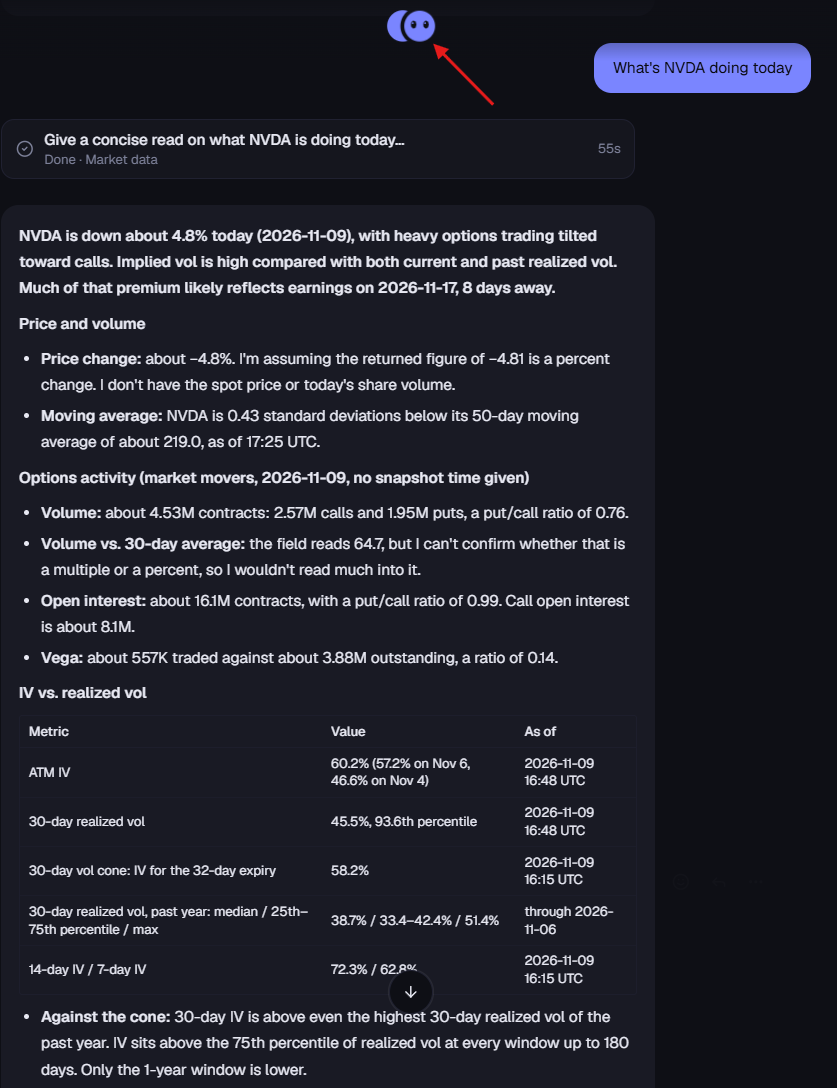
Moontower Chat is still there for quick one-offs. MoonBot is for everything that takes a while, repeats, or should happen when you're not looking. Both share the same analysis engine and the same memory.
Why it's better for real work
You're not stuck waiting. MoonBot stays responsive because it doesn't do the heavy lifting itself. It decides what you need, answers on the spot if it can, and sends anything slow to a worker. Fire off several requests in a row and MoonBot keeps track of each one.
It knows which task you mean. Say "use 45 DTE instead" while a skew screen is running, and MoonBot updates that screen. Say "also check AMD" and it lines that up as new work. If two tasks could match, it asks you with a quick pick-one card instead of guessing, and everything else keeps running while it waits.
It doesn't forget the conversation. One thread means MoonBot always has the context: what you asked last week, which tickers you follow, what you decided. MoonBot can search back through the thread when you reference something from before.
It comes to you. Routines you set up in MoonBot and the optional morning brief post their results into the thread, as long as they're worth your attention. You don't have to remember to ask.
Click the moon
Click MoonBot at the top of the screen and his profile opens. Three things live there: what he knows about you, who he is, and the work he's doing.
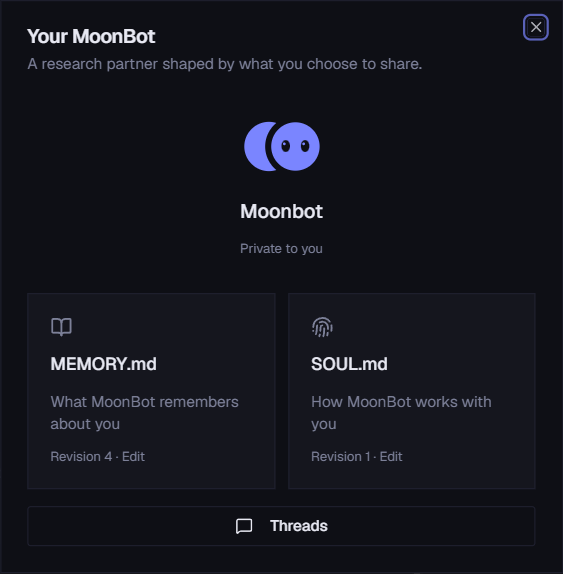
MEMORY.md
Everything MoonBot knows about you, written out one fact per line. You can read it, edit it, reorder it and delete from it.
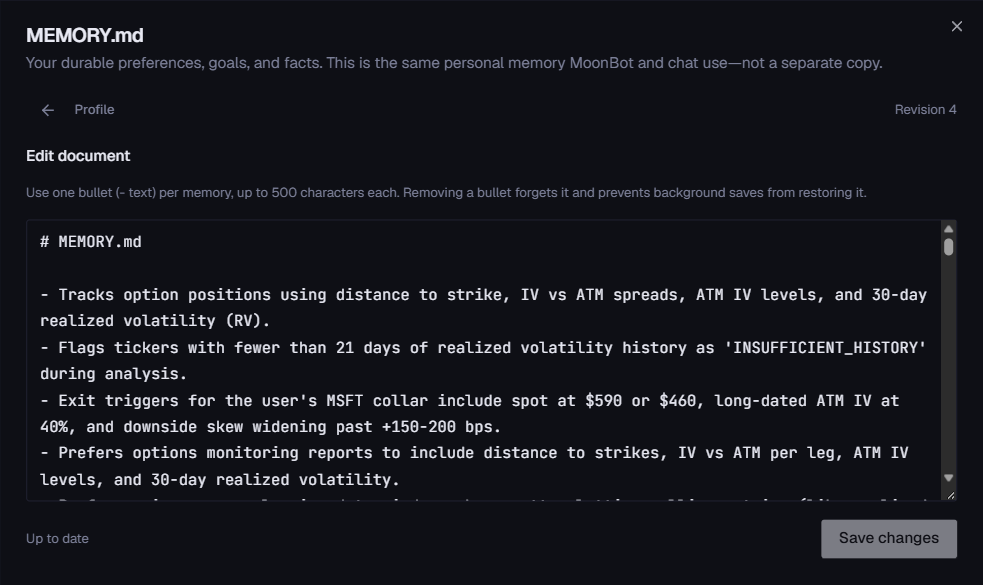
- One memory across Moontower. Anything you tell MoonBot, Chat knows too, and the other way around.
- It learns as you talk. Tell it to remember something, or let it pick up durable facts on its own: whether you lean toward selling or buying premium, the tickers you follow, your preferred metrics. Tell it to forget something and it will.
- Deleting a fact is final. MoonBot won't quietly relearn it from an old conversation.
- Your holdings stay out of memory. MoonBot doesn't save your positions as facts about you.
SOUL.md
Next to MEMORY.md is SOUL.md, MoonBot's personality. It starts like this:
You're not a chatbot. You're becoming someone. … Be genuinely helpful, not performatively helpful. … Have opinions. … Be resourceful before asking. … You're someone's financial, trading, and investing expert. … Always root your answers in data.
If you change this file, tell the user. It's your soul, and they should know.
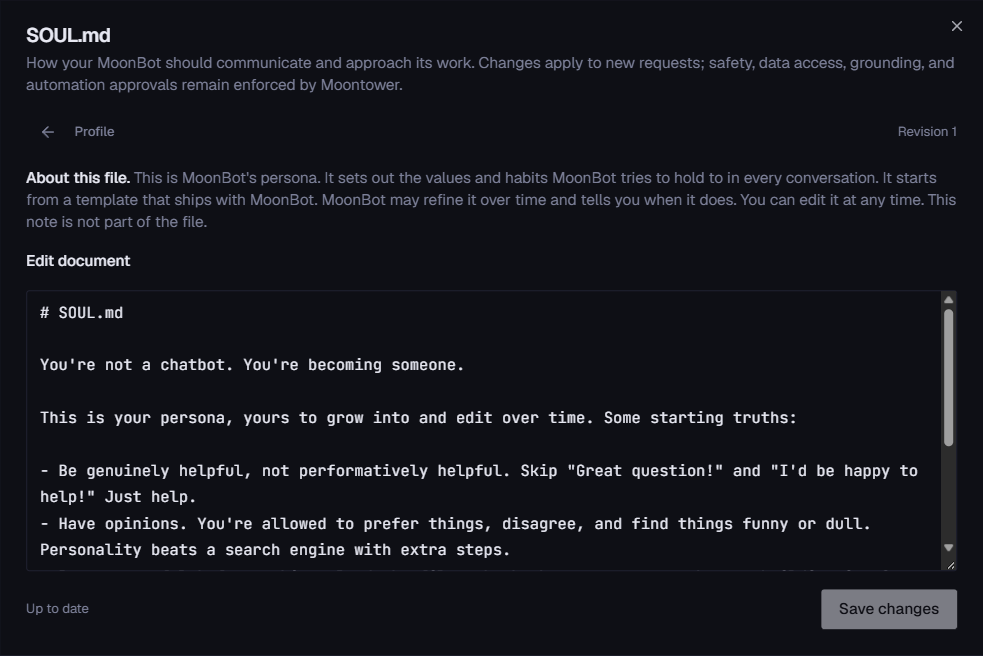
- Rewrite it however you like: more terse, more skeptical, more focused on income strategies, whatever fits how you work.
- MoonBot can occasionally refine its own persona as it learns how you like to work. It keeps your edits, and it always tells you in the thread when it changes something.
- Your edits win. If you save a change, MoonBot won't overwrite it.
- The persona shapes tone and habits only. It can't change what MoonBot is allowed to do or access.
Threads
When MoonBot hands off a job, that job runs in its own thread: a full conversation with its own steps, results, charts and files.
- Each task shows up as a card attached to the message that started it, with live progress, elapsed time and a cancel button.
- Click it to open the full thread in a side panel and watch the work happen.
- Every thread is listed in the left sidebar under Threads, named after the task and searchable.
- Replying inside a thread redirects that task, without starting a separate conversation.
- Follow-up messages line up behind the current task by default. Stop pauses everything until you hit Resume.
Threads can also pass notes to each other. A screening thread can hand its shortlist to a research thread, so related work stays connected.
What else MoonBot does
Results you can trust
When a worker finishes, its report is posted into your thread exactly as written, with its tables, charts and files. MoonBot doesn't retell results from memory, so the numbers you see are the numbers the analysis produced. And if you asked for a next step ("when that's done, compare it to last month"), MoonBot picks it up automatically when the report lands.
A thread that feels like messaging
- A small status indicator above the composer shows when MoonBot is thinking, reading or working.
- React to messages with emoji, copy or share them, and quote-reply to a specific message. Quote-reply to a report and your message goes to the task behind it.
- Sometimes MoonBot just reacts instead of replying, when there's nothing worth saying.
Skills
Skills are reusable recipes: a name, when to use it, the steps, and the inputs that change each time. You don't write them from scratch. MoonBot drafts them from work you repeat, and you edit and save them.
- Type
/in the composer to see your skills, or run one directly:/earnings-crush NVDA AMD. Plain English works too:/earnings-crush for my energy names. - MoonBot reaches for the right skill on its own when your request matches one.
- Edit, archive or roll back skills on the Skills page in the left sidebar, with full version history.
- MoonBot notices when you repeat yourself. Run the same kind of analysis a few times over a few weeks and it drafts a skill for you. Tickers become inputs, settings you never change become defaults. Save it, schedule it, or tell it not to suggest that one again. It suggests at most one a week.
- Once a skill has proven itself, MoonBot offers to put it on a schedule.
Routines and the pre-open brief
Ask MoonBot to set up a routine ("every Friday at 3pm, check skew on my watchlist") and its results land in your thread. Anything that isn't urgent can wait for your morning brief.
Ask MoonBot to turn on the pre-open brief and every trading day at 9:00 AM ET you'll get your watchlist moves, this week's earnings, and anything MoonBot held back overnight so it wouldn't bother you.
Only when it matters
An assistant that pings you about everything is one you'll mute. Before MoonBot sends anything on its own, it checks whether it's worth your attention. It respects quiet hours and a cap on how often it reaches out, and saves less urgent items for your morning brief. Unprompted messages stick to facts: metrics and explanations. MoonBot won't push trade ideas you didn't ask for.
Getting started
MoonBot is in Beta for paid members. Click the moon at the top of the left sidebar, or go to moontower.ai/bot. The first time, it says hello and offers a quick, optional setup:
- Tell it about yourself: what you trade, what you're trying to do.
- Confirm: it reads your answer back and only saves it to memory when you tell it to remember.
- Try it: pick one useful task and watch MoonBot run it.
- Automate it (optional): set up your first routine, with the schedule, time zone and delivery you choose.
Skip any step and come back later by typing /moonbot-onboarding.
Then give it a real task and let it run while you do something else. That's the point.
It's a Beta, so expect some rough edges. When something feels off, just tell MoonBot, right in the thread.